Corvo | DoD Tactical Drone Hub
A secure over-the-air software update platform for edge devices, built for defense and commercial fleets. Our lead engineer built the first version with AI. I came in to make it usable, intuitive and ready to scale.
ROLE
Lead UX/UI Designer
+ Brand, BD & Marketing
TEAM
4 engineers, 1 Product Manager,
1 designer (me)
TIMELINE
Feb 2026 – present
STATUS
Pre-launch · validated in testing
1k+
of drones per customer
2 weeks
for new software releases
4 roles
from OEM admin down to fleet user
0 → 1
component library, built from scratch
The Client Challenge: Every update means plugging in every drone.
Programs like drone dominance initiatives run thousands of drones. New software can ship every two weeks, and today teams install it by hand, one device at a time.
It takes people
Staff to run updates, and managers to oversee them.
It takes travel
Someone has to go wherever the hardware is.
It costs missions
Outdated software slows operations or leaves drones inoperable.
Corvo’s answer: push updates over the air to the whole fleet or a selected group, easily.
We’re currently piloting it with a drone manufacturer that has this exact problem.
Four roles. One platform.
Each role sees and controls a different slice, from one drone to a manufacturer’s whole customer base. Getting permissions and views right for each was core to the design.
OEM admin: Oversees many fleet admins, like a manufacturer supporting its customers.
Fleet admin: Operates and owns fleets. Pushes and approves components, tracks rollouts, handles failures.
Fleet user: Sends recipes needed for their fleet. Manages deployments needed for their mission.
Vendor: Manufacturers that have own software packages can be uploaded for admins and users to deploy.
The Design Challenge: AI built the first version. It worked, but it wasn’t built for people.
Originally vibe-coded but needed usable, consistent and ready to scale, without stopping development.
Device Page
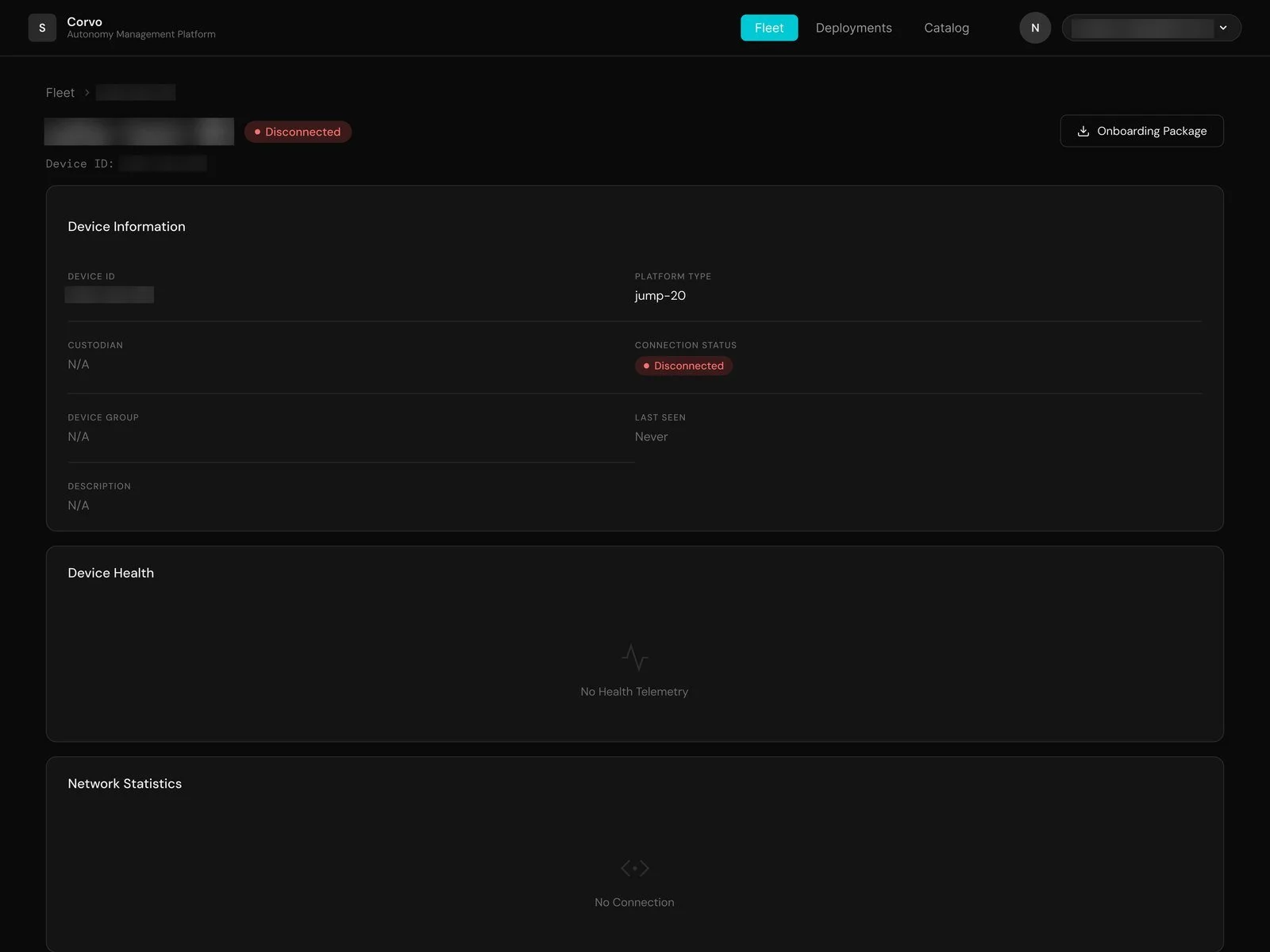
BEFORE | Raw fields in a long list, and empty panels with little explanation.
Homepage
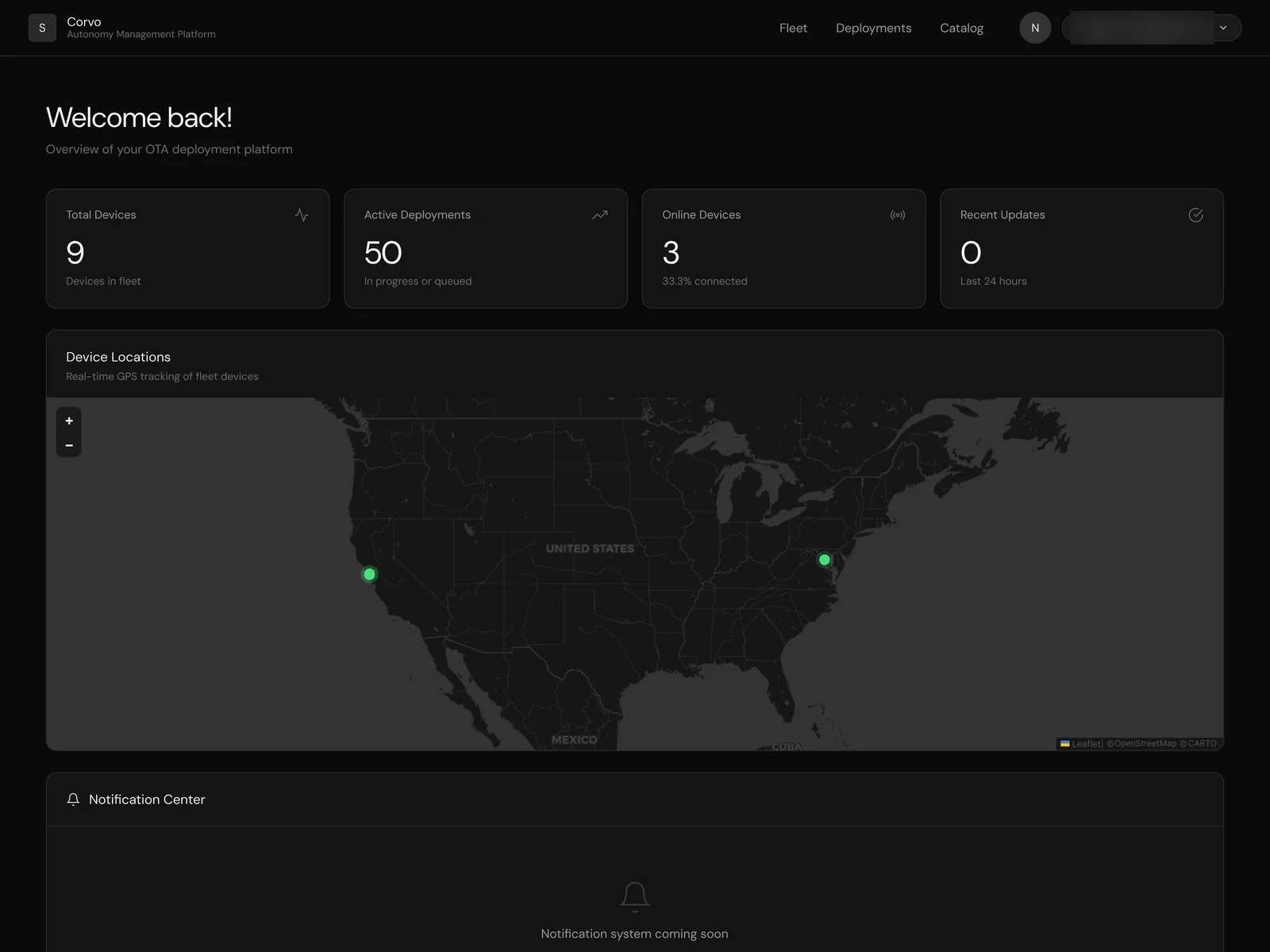
BEFORE | No clear, immediate actions, notifications are not noticeable due to page hierarchy
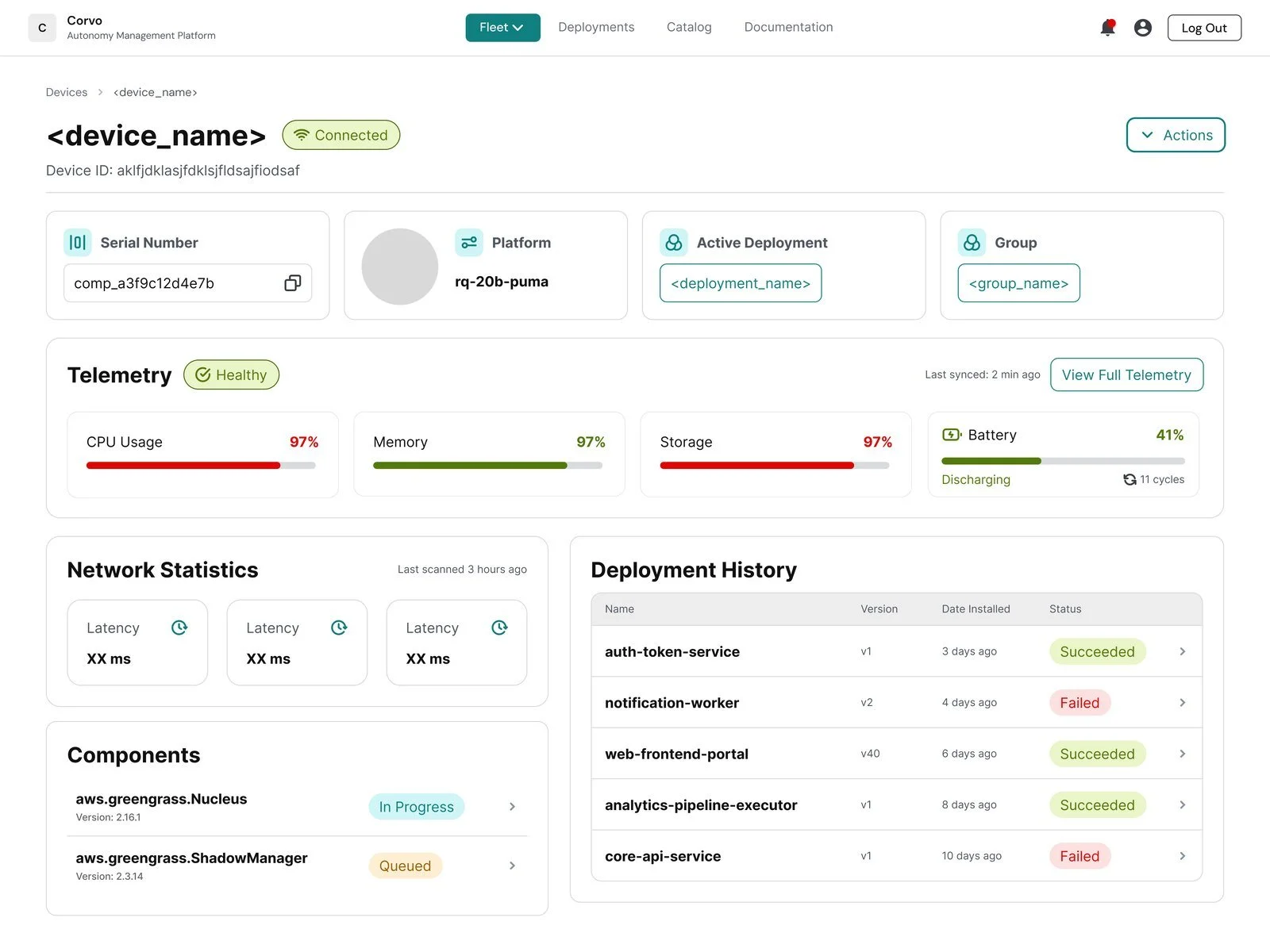
AFTER | Summary cards up top, live telemetry, deployment history with status, and an Actions menu.
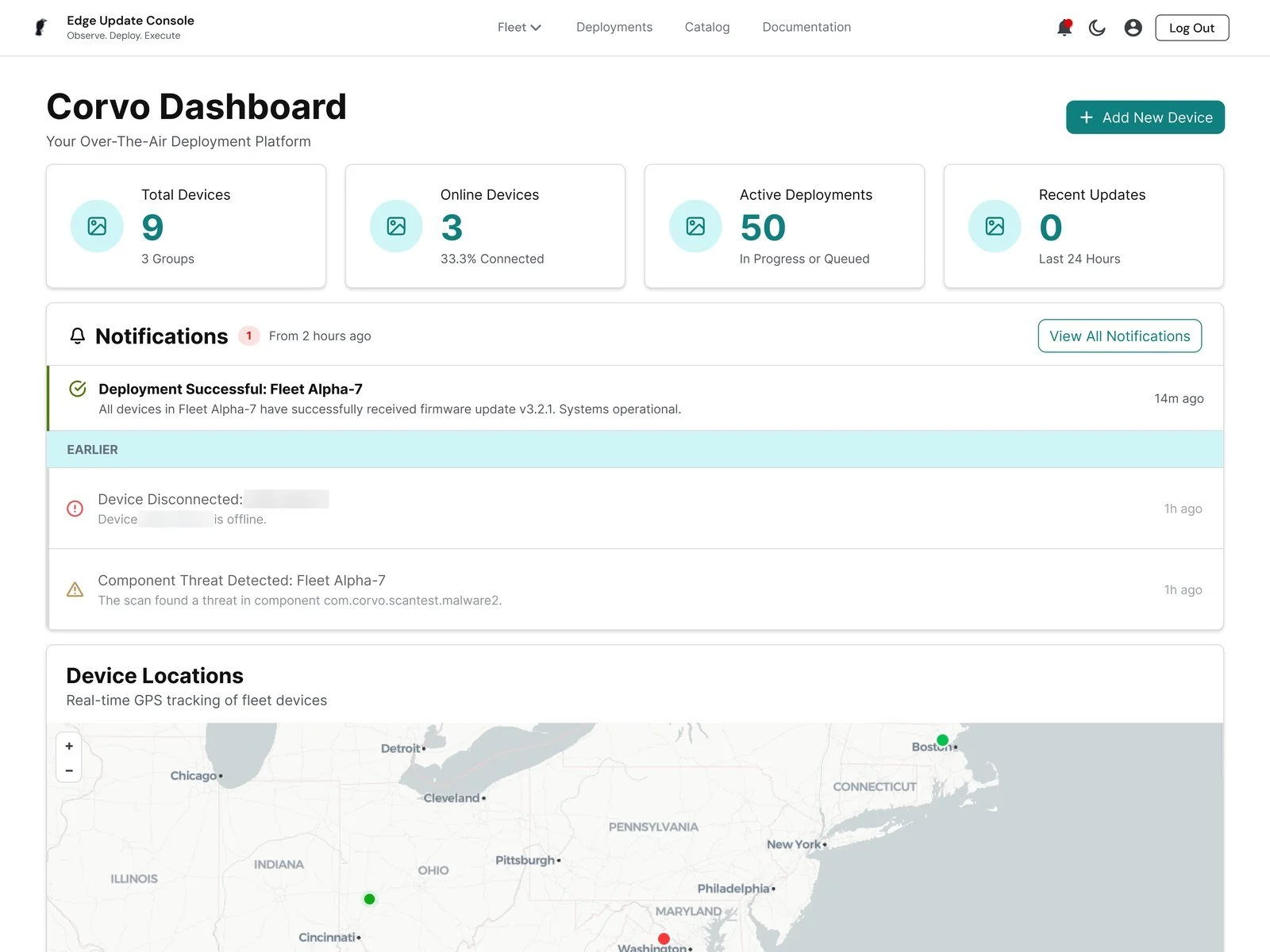
AFTER | Readable stat cards, notifications sorted by severity, and Add New Device up front.
THE CHALLENGE
AI got the platform working fast. But it wasn’t built around the people using it, the UI was inconsistent, and nothing was reusable, so every new screen made it harder to grow.
WHAT I DID
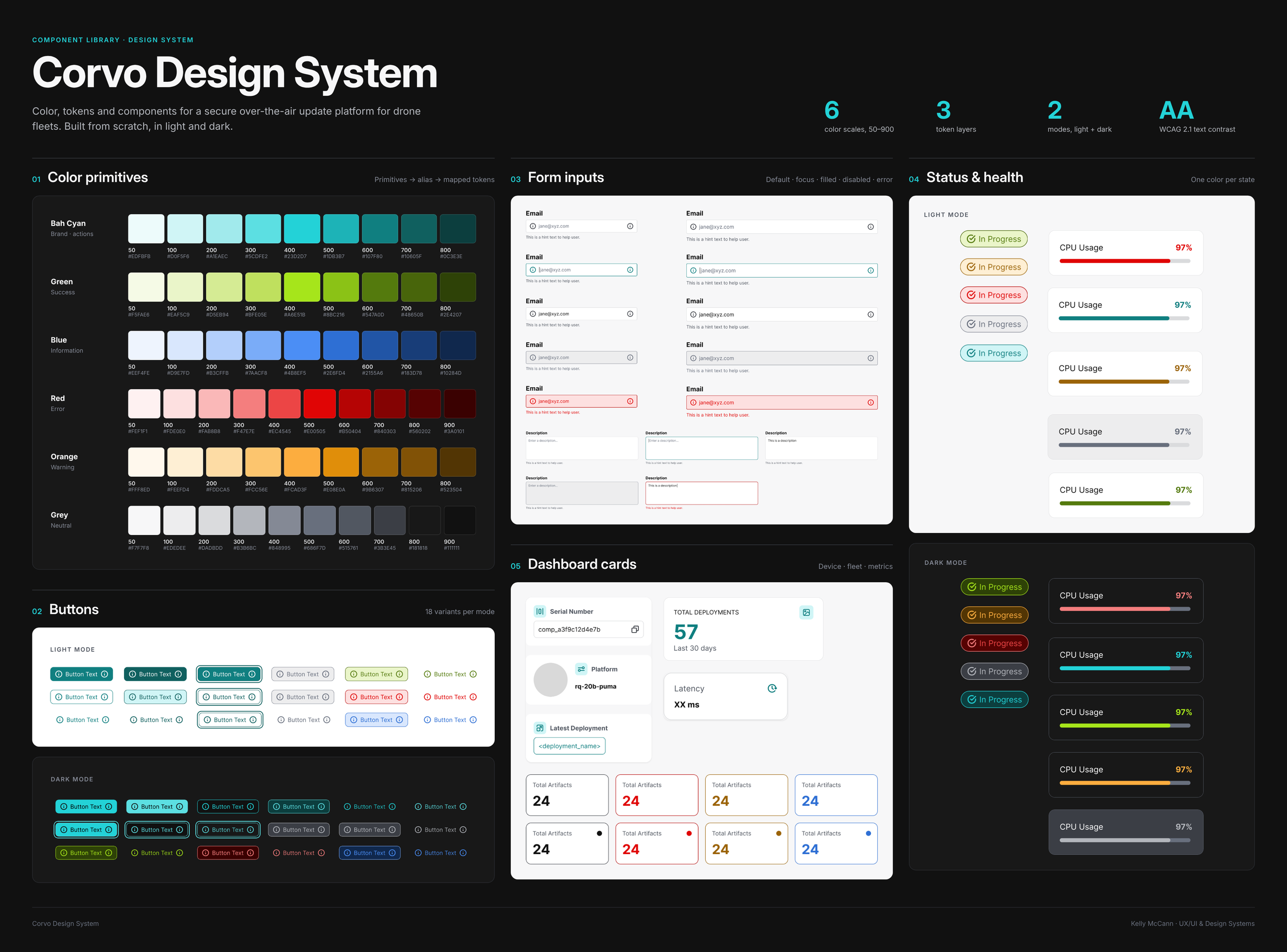
Redesigned the core flows around real tasks, built the component library from scratch, and gave engineering a system to build with. I also lead the brand and the BD and marketing materials.
WHY IT MATTERS
AI can write the code. A designer still has to decide what the product should be and how people will use it. This project shows how the two work together.
Built for the person pushing the update.
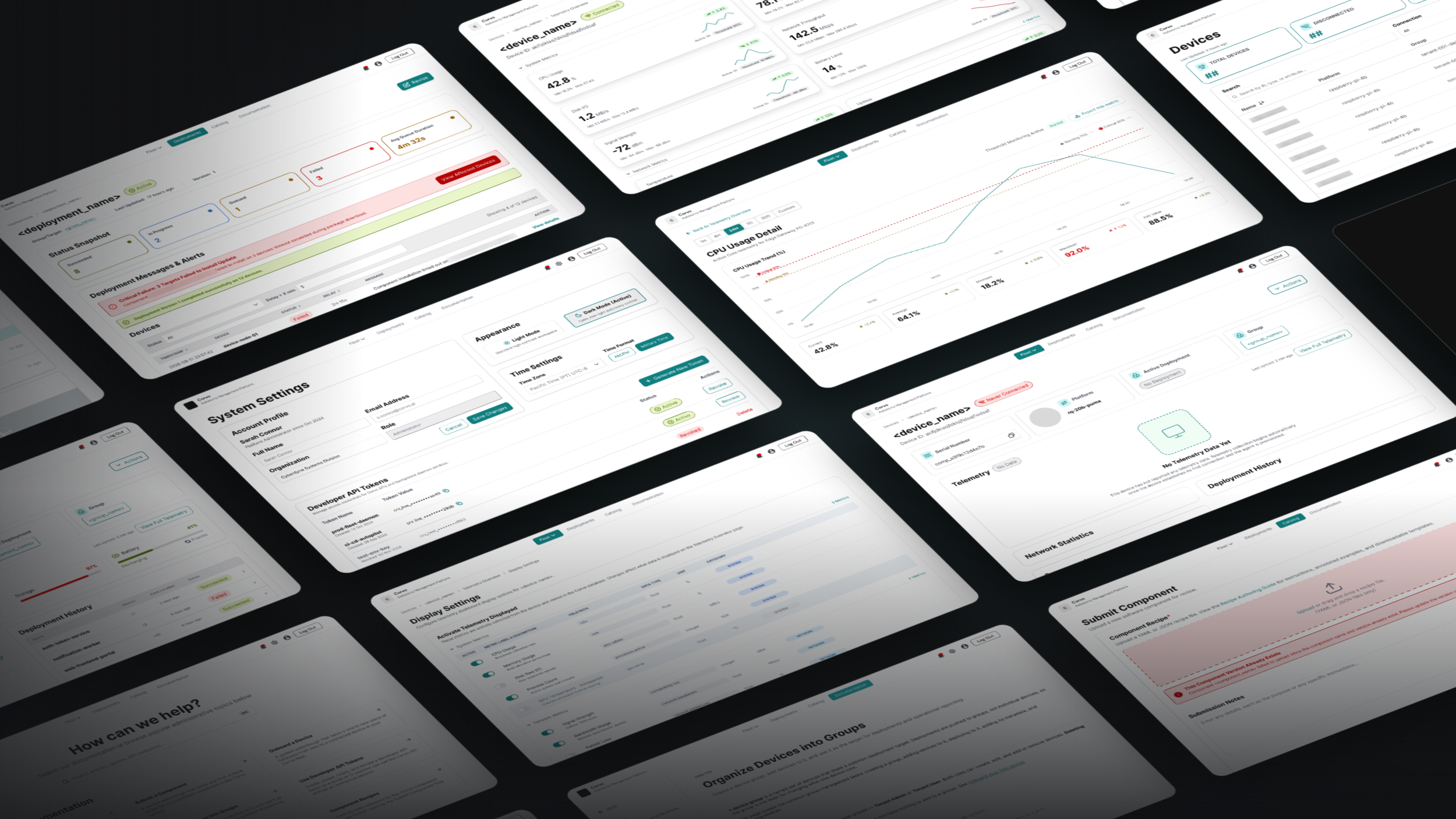
A quick tour: dashboard → devices → device → telemetry → deployment → notifications
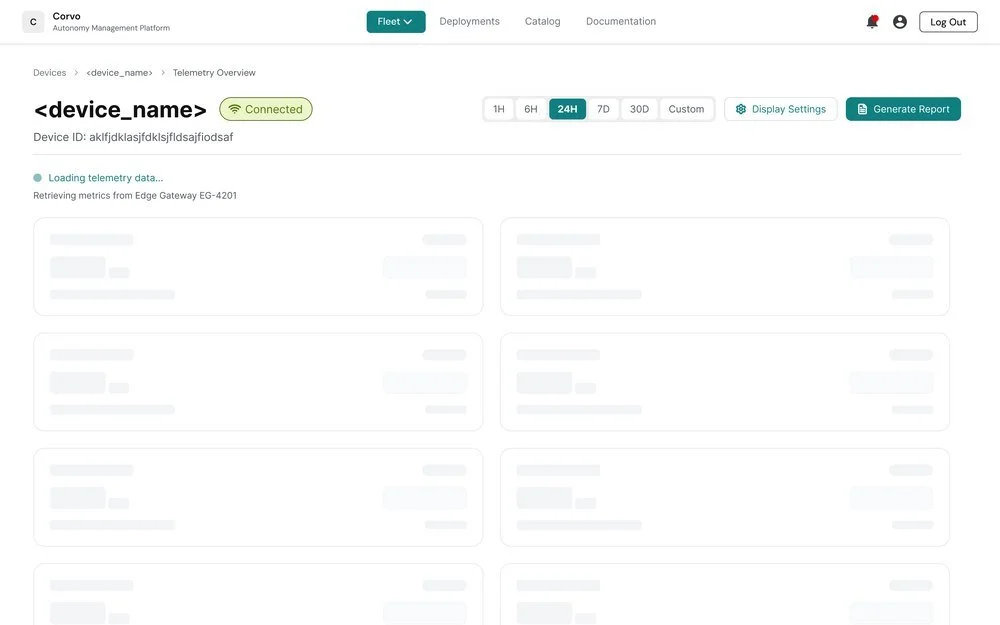
Every drone’s health, at a glance.
Was: The device health panel only said “No Health Telemetry.”
Now: Metric cards with trend lines and thresholds, time ranges from 1 hour to 30 days, and settings to choose which metrics show.
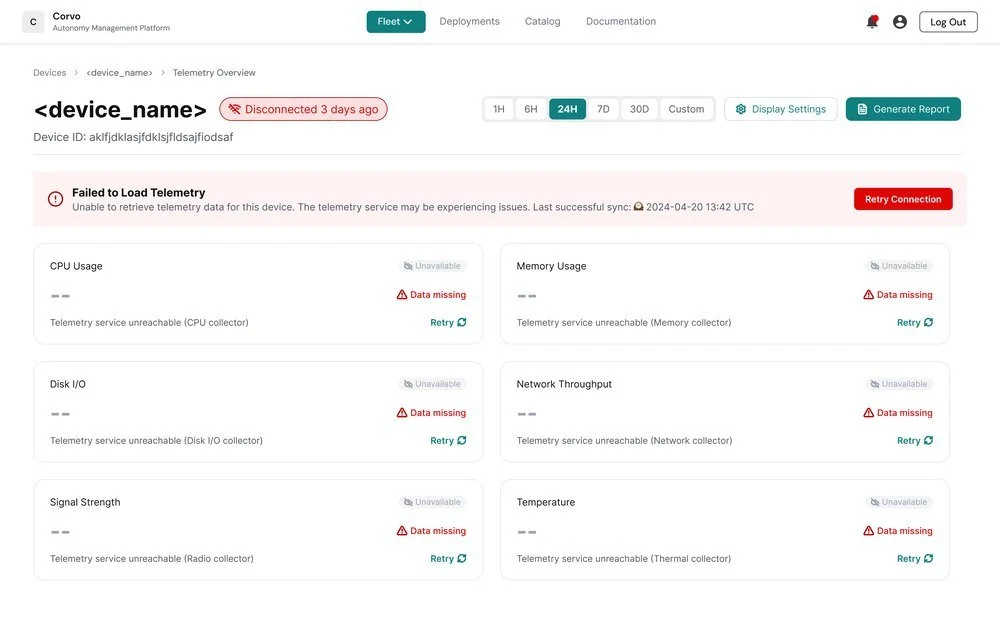
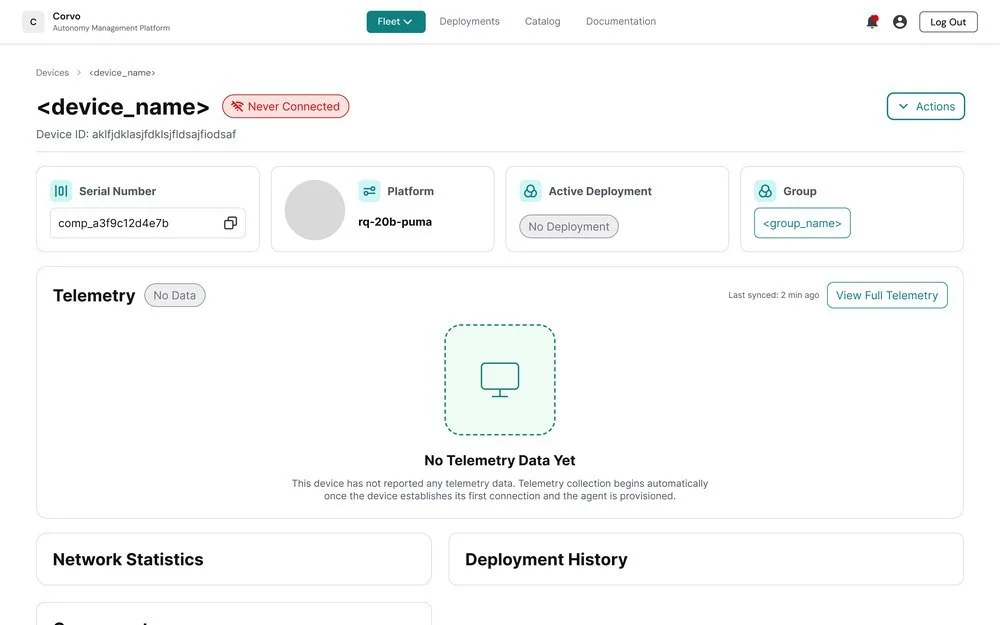
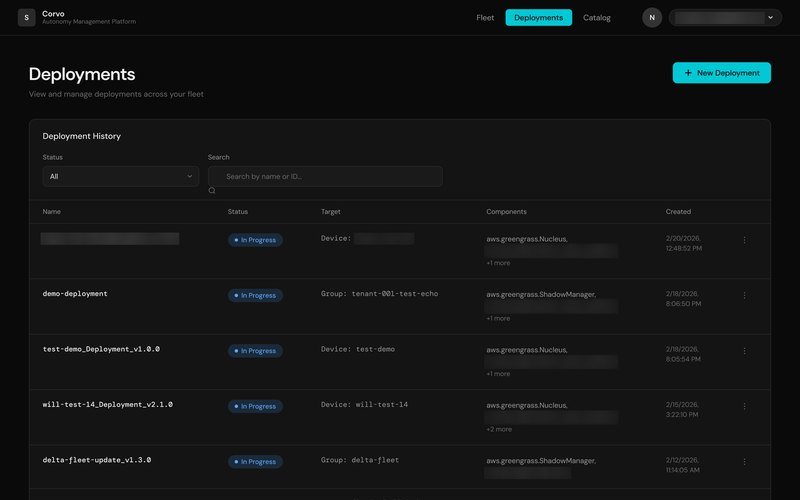
See exactly which drones failed, and why.
Was: Every deployment showed one status, like “In Progress,” with no breakdown by device.
Now: A status snapshot, an alert that names the failed component, and a device table you can filter by status and delay.
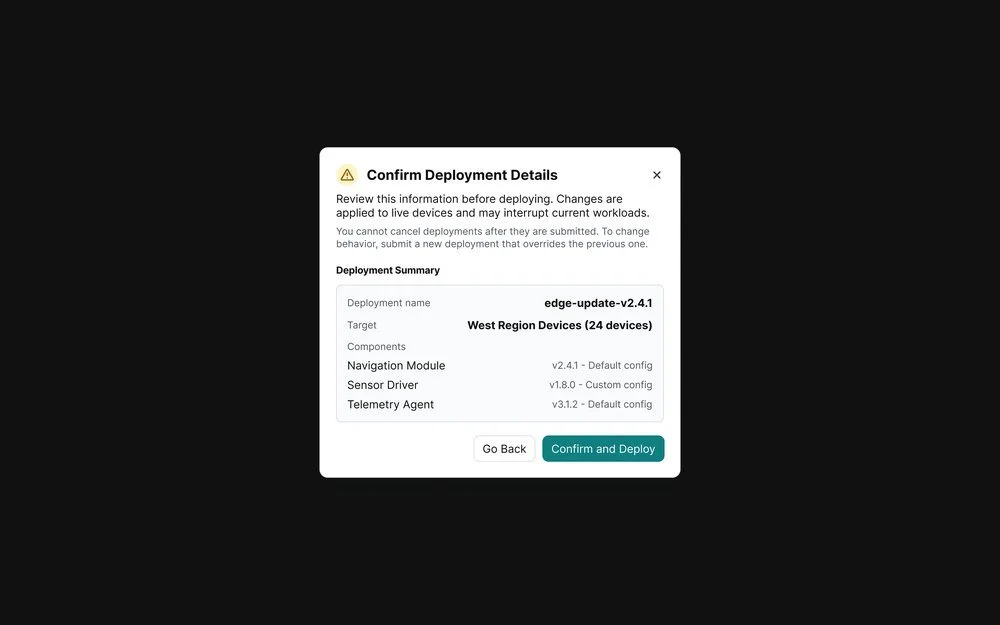
Designed for when things go wrong.
Was: Empty panels showed a single line of text, with no explanation or next step.
Now: Error, loading and never-connected states that say what happened and what to do, plus a review step before any update reaches live devices.